A retro gaming stick plugs into your TV via HDMI: two wireless controllers, an SD card with preloaded OS, arcade classics on the big screen. We break down the “4K” label, the games that shine, and how to choose between a TV stick and a handheld.
Yes, a retro gaming stick plugs straight into your TV via HDMI and turns your living room into an arcade in thirty seconds: connect the box, grab the two wireless controllers, and Street Fighter II or Metal Slug fills the screen. No setup, no PC — the SD card comes with a preloaded OS. The "4K" refers to screen compatibility, not the original games. Here's what that actually changes, which titles look best on a big screen, and how to choose between a TV stick and a handheld.
What is a retro gaming stick for TV?
Think of a slightly chunky dongle — barely bigger than a deck of cards — that slots into an HDMI port on your television. Inside: a small ARM processor, a graphics chip, and a memory card packed with games sorted by system. That's the whole idea behind a retro gaming stick: the spirit of an arcade cabinet, without the cabinet. For the screen and the joysticks too, take a look at our arcade machines in a suitcase.
The logic is the opposite of a handheld. There's no built-in screen: the image goes straight to your TV, and two wireless controllers are included so you can play co-op or versus right out of the box. It's the couch formula — settle in with friends or family, pick a game, hit Start. The living room arcade of the 90s, now with the comfort of wireless.
Plug in and play in thirty seconds
The retro gaming stick earns the "plug & play" label in the strictest sense. Three steps:
- Plug it in: the box goes into a free HDMI port on the TV, then the USB power cable connects to a USB port on the TV or a wall charger.
- Switch on: the TV switches to the right HDMI input, the game menu appears — already sorted by platform (arcade, NES, SNES, Mega Drive, PS1…).
- Play: the wireless controllers pair automatically over 2.4 GHz or Bluetooth depending on the model. Press Start, you're in.
No file management, no emulator to install: the SD card comes with a preloaded OS and the games are already organized. Plug in, switch on, play — the promise holds. To switch games, one button takes you back to the menu, no computer required.
Arcade games that shine on a big screen
This is where the TV stick really comes into its own. Arcade games were designed to be seen from a distance, by a crowd, on a wide screen. Your living room does them far more justice than a small handheld display. A few classics worth revisiting:
- Fighting: Street Fighter II, The King of Fighters, Fatal Fury, Mortal Kombat — the kings of head-to-head with two controllers.
- Run & gun: Metal Slug, Contra, 1943 — fast, readable, perfect for co-op.
- Beat 'em up: Final Fight, Cadillacs and Dinosaurs, Streets of Rage — side-scrolling brawlers made for playing shoulder to shoulder.
- All-time classics: Pac-Man, Galaga, Bubble Bobble, Donkey Kong — high-score battles the whole family can join.
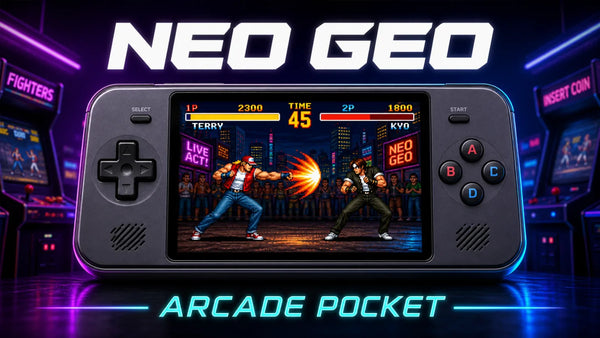
Under the hood, these titles run on arcade emulation cores like FinalBurn Neo (FBNeo) or MAME, covering Capcom's CPS1/CPS2 boards and SNK's Neo Geo MVS hardware. Nothing to configure — it's all set up already. If Neo Geo has a special place in your memory, we go deep on it in our dedicated article on playing Neo Geo games on a handheld console.
What does "4K" actually mean on a retro stick?
Worth clearing up straight away. An arcade game from the 80s or 90s was drawn at a tiny resolution — often just 240 lines on screen. The "4K" on a retro stick doesn't recreate those games in ultra-high definition: it plugs into a 4K TV, sends it an HDMI signal and applies upscaling — a clean enlargement of the original image so it fills a modern screen without turning into a blurry mess.
In practice, it avoids the stretched, washed-out look you'd get plugging an old console into a modern TV. Sprites stay sharp, edges stay clean. Many models also offer filters: a crisp pixel render, or scanlines that mimic the lines of a CRT screen to bring back the grain of the original display. It's a matter of taste — some love it, others prefer the clean image.
One good habit: target a 4:3 or 8:7 aspect ratio for older systems, which respects the original proportions rather than a forced 16:9 that squashes or stretches characters. The stick's menu handles this for you, but the option is there for purists.
TV stick or handheld console: which one is right for you?
Both play the same classics, but they answer different needs. The choice comes down to one question: where and with whom do you want to play.
- The TV stick is for the living room. Big screen, two controllers, evenings with friends or family. Ideal for arcade, versus, and co-op. It doesn't travel — it lives plugged into the TV.
- The handheld is for on the go. An IPS screen in your pocket, a battery measured in mAh, gaming on the train or the sofa, solo. It also reaches further up the emulation ladder (N64, Dreamcast, PSP depending on the model).
There is a third route: the M27 7″ is a handheld with an HDMI output. You play it in your hands during the day and plug it into the TV in the evening — without buying both devices. Its 7-inch screen is comfortable on its own, but it ships with its own controls only: for four-player versus, the stick and its two controllers stay simpler.
Plenty of households end up with both, for good reason: the stick for shared moments, the handheld for travel. For arcade gaming at home, browse our selection of retro TV gaming sticks — a model like the 4K-compatible retro gaming stick covers large multi-system libraries, while the TV stick with PS2 support pushes into more recent titles. And if the handheld format is more your style, everything is in the handheld retro gaming console collection.
A TV stick also makes one of the best gifts for gamers who host friends: two controllers, one HDMI port, and the evening starts.
FAQ — Retro gaming stick for TV
Does a retro gaming stick work on any TV?
On virtually every modern television, yes: you need a free HDMI port and a USB port (or wall charger) for power. On a very old TV without HDMI you'd need an adapter, but most screens from the last fifteen years are compatible out of the box.
Are the arcade games actually in 4K?
No, and that's expected. The original games were created at low resolution. The stick plugs into a 4K TV and cleanly upscales the original image — it fills the screen without going blurry, but it doesn't add detail that wasn't in the game to begin with.
Can you play two-player straight out of the box?
Yes. Retro gaming sticks come with two wireless controllers, built for versus and co-op. Switch them on, they pair automatically, and you're into a Street Fighter II or Metal Slug match in seconds.
Do you need to install an emulator or add games yourself?
No. The OS is preloaded on the memory card and the games are already sorted by system in the menu. Nothing to download, no mandatory setup: plug in, switch on, play.
What's the difference from a mini arcade cabinet?
A mini cabinet is a piece of furniture with its own screen and joystick — it takes up space and costs more. The retro gaming stick slips into a pocket and uses your living room TV as the screen, with wireless controllers. Same arcade spirit, far more flexible format.
Can you connect a real arcade joystick or fight stick?
Depending on the model, yes: many sticks accept an extra controller over 2.4 GHz or Bluetooth, and some recognize wired USB arcade sticks. It's the ideal complement for fighting games and shooters that deserve proper arcade controls.
Does the TV stick replace a handheld console?
They're complementary. The stick targets the living room, the big screen, and multiplayer; the handheld retro gaming console targets on-the-go play and reaches further up the emulation stack (N64, Dreamcast, PSP). Most players keep both.
Not sure which format fits your setup and gaming habits? Our retro gaming quiz points you toward the right stick or handheld in under a minute.