4 simple questions to find which retro gaming console suits your profile, budget and favourite games.
Too many models, mile-long names, and the feeling that each one claims to be "the best": choosing a retro gaming console quickly becomes a headache. Good news: you don't need to compare everything. Four questions — your budget, your format, your games, your playing spot — and the right model draws itself. Let's take them in order.
1. Your budget: think in tiers, not in euros
Rather than fixing a figure, place yourself on a scale. Entry-level covers all of 2D — NES, Game Boy, Mega Drive — and costs the price of a new game. Mid-range adds smooth PS1: for most players, that's the sweet spot. Premium opens up the PSP, the Dreamcast and the big screen, for those who want it all. If budget drives the decision, start with our affordable retro gaming consoles: their fun-per-euro ratio is hard to beat.
A word on buying second-hand: it looks tempting, but a used console often arrives with a tired battery, an uncertain software version and zero warranty. For a few euros more, a preloaded new unit spares you that lottery. And remember that the "right" budget isn't the highest one — it's the one that covers exactly your games.
2. Your format: where the console will live
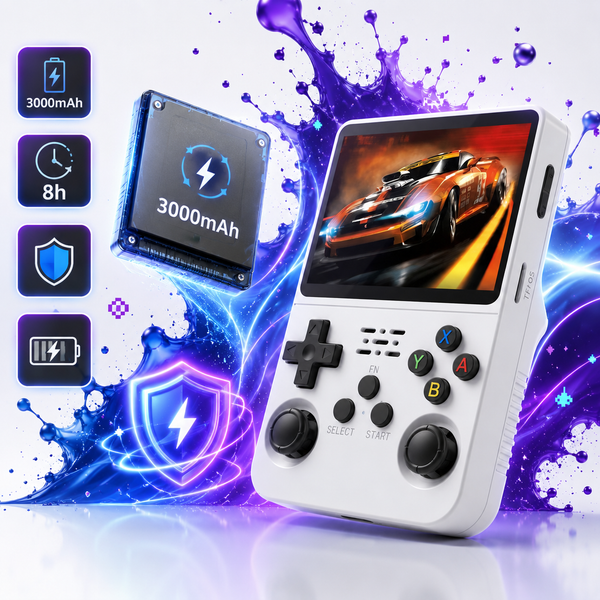
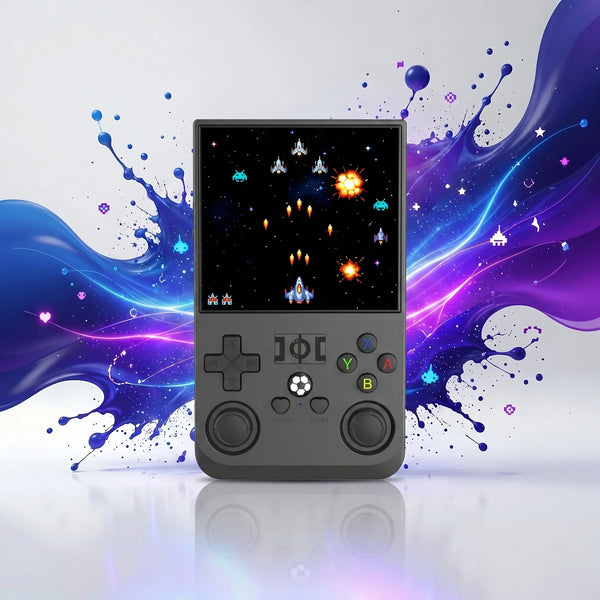
This decides the largest share of your comfort. A vertical pocket model, like the R36S 3.5″, travels anywhere. A horizontal controller, like the R36H, eases the hands on long sessions. A big screen gives 3D its full meaning. And to play with the family in front of the TV, you switch to our plug-TV sticks and cabinets. If you often play two-up, add a spare wireless controller.
On screen size, aim for your eyes' comfort: a 3.5″ is ultra-portable but demands good eyesight on fine games, while a 5″ eases reading at the cost of bulk. Weight matters more than you'd think too: held at arm's length for an hour, a big model eventually tires the wrists.

| Format | Its strength | Ideal if… |
|---|---|---|
| Mobility, discretion | you play on the go | |
| Controller | Comfort, spaced buttons | you play on the couch in the evening |
| Big screen | Readability, 3D | you're after the PS1, N64 and beyond |
| Plug-TV | Conviviality | you play on the TV, with others |
3. Your games: the criterion people forget
It's the most important, yet the most overlooked. If you're after Pokémon, Mario, Sonic and the big 2D hits, entry-level is plenty. If you dream of Crash, Spyro (PS1), Mario 64 or PSP games, move up to mid/high-range and check for real analog sticks. Our emulation guide details which power tier matches each vintage console.
Concretely: 2D (Pokémon, Sonic, the old Marios, Castlevania) runs absolutely everywhere; PS1 3D (Crash, Spyro, Tekken, Final Fantasy VII) and N64 (Mario 64, Zelda: Ocarina of Time) need a mid-range and good sticks; the PSP (God of War, GTA) aims high-end. List your five dream games before buying: on their own, they decide the tier you need.
4. Your playing spot: what settles the ties
On the move: prioritise battery life and the pocket format. On the family TV: a stick or a plug-and-play cabinet. In the evening on the couch: the comfort of a controller. On long trips: a big battery. When two models look equal on paper, your main playing spot tips the balance.
An example: two equivalent models, one a touch more compact, the other with a bigger screen. If you mostly play on the train, compact wins; if it's evenings on the couch, the big screen takes it. The hardware doesn't decide — your daily routine does.
Three profiles to decide in ten seconds
The 2D nostalgic (Pokémon, Mario, Sonic): an entry-level model in pocket or controller form, tiny budget. The all-rounder who wants smooth PS1 and N64: a mid-range with good sticks, like the R36 Ultra 4″ WiFi. The demanding player after the PSP, Dreamcast or PS2: a premium big-screen model, such as the H55 5.5″ or M28 7.1″. Still unsure? Our quiz applies this exact grid for you, or compare models in our retro handheld comparison.
And if you want a single answer? For most people, the best starting point is a mid-range controller-format model: it swallows everything up to the PS1 and N64, sits comfortably in the hands and stays reasonable on budget. You only move up to premium if the PSP, Dreamcast or a big screen are clear priorities; you only drop to entry-level if budget rules or you stick to 2D. This simple rule avoids most regrets — the rest is just personal fine-tuning.
FAQ — Choosing your retro gaming console
Which one to give as a gift?
A plug & play mid-range model: impressive on power-up, simple to use, zero setup for the person receiving it.
Pocket or controller to start?
Controller if comfort matters most, pocket if mobility matters most. Both run exactly the same entry-level games.
Do I need to know about emulation?
No, everything is preconfigured. No technical skill is required to play.
Can a single console do everything?
Almost: a good mid-range covers the NES to the PS1. For the PSP and beyond, aim premium.
How many games are included?
The SD card ships preloaded with a broad library, sorted by system. You can add more anytime via the card.
New or second-hand?
A preloaded new unit avoids nasty surprises (battery, software version, warranty). Second-hand can do in a pinch, but check the battery's health and the installed system carefully.
What SD card size should I aim for?
64 GB covers 2D and the PS1 with ease. For the PSP or Dreamcast, whose games are large, step up to 128 GB or more.
Can I play on the TV?
Yes, with a plug-TV stick or cabinet, or a model with video output. On the TV, a wireless controller makes the experience far more comfortable.
Before buying, clear the last doubt: is a retro gaming console legal?